AI agents, MCP and API
Hand the issue queue to your coding agent.
Connect Claude Code, a Claude custom connector or another MCP client. The agent pulls your unresolved issues with screenshots and code context, fixes them in your codebase, marks each one resolved and starts a scan to verify. On Team and Enterprise.
Coding agent · TrustScans MCP
- Use TrustScans to fix the accessibility issues on example.org
- trustscans · get_work_queue domain: "example.org"
- image-alt · critical · 9 pages likely shared component
- button-name · critical · 4 pages
- color-contrast · serious · 22 pages likely shared component
- trustscans · get_issue_detail issue_id: "…"
- selector header .brand > img
- wcag 1.1.1 Non-text Content (A)
- screenshot attached
- Edit components/SiteHeader.tsx+ alt="Example Library home"
- trustscans · resolve_issues note: "Added alt text in SiteHeader.tsx"
- 9 issues marked resolved. Score unchanged until the next scan.
- trustscans · start_scan domain: "example.org"
- trustscans · compare_scans
- image-alt fixed on 9 pages · nothing new verified
Everything an agent needs to fix the right thing.
Work queue
The most urgent problems first
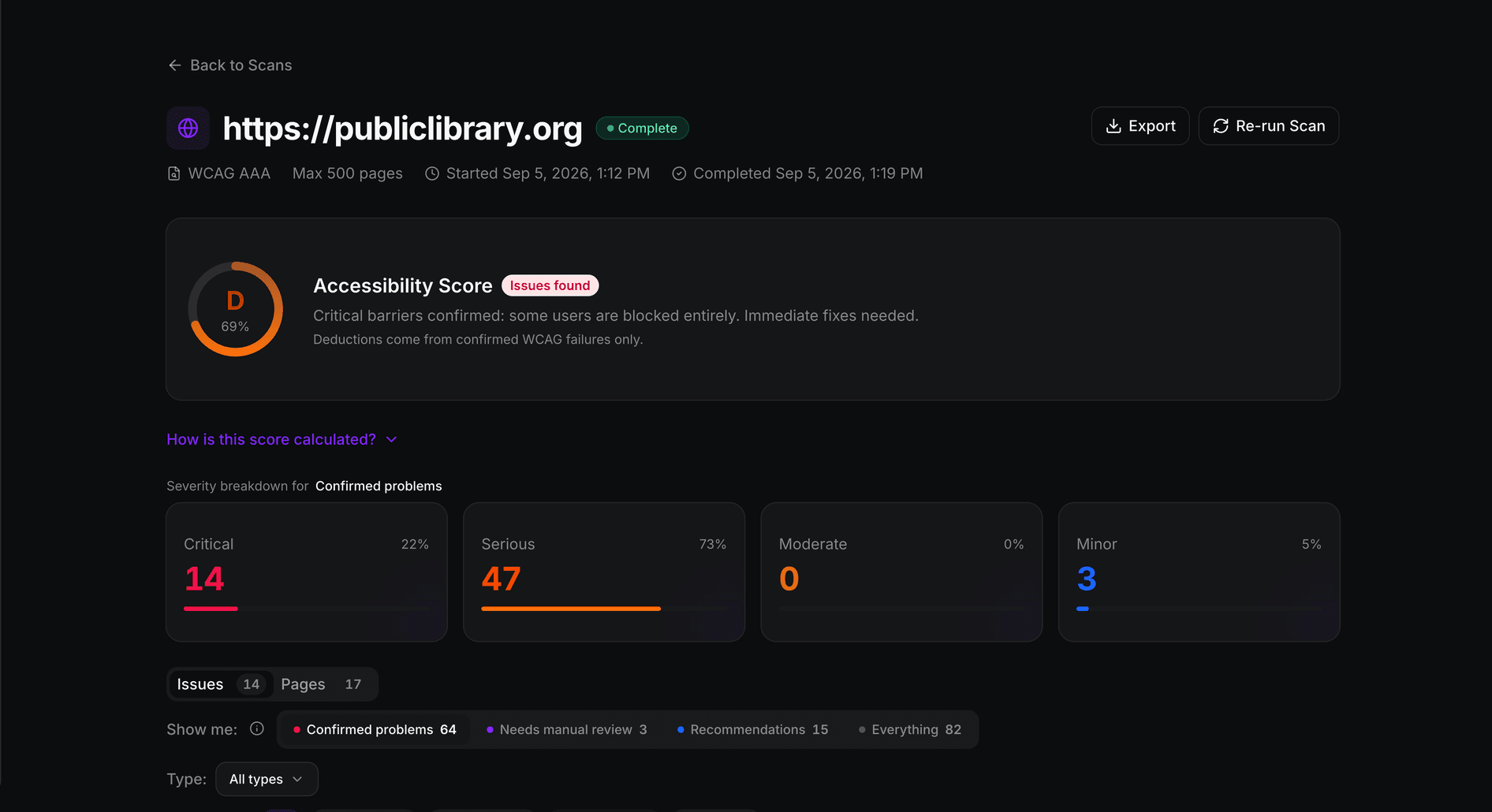
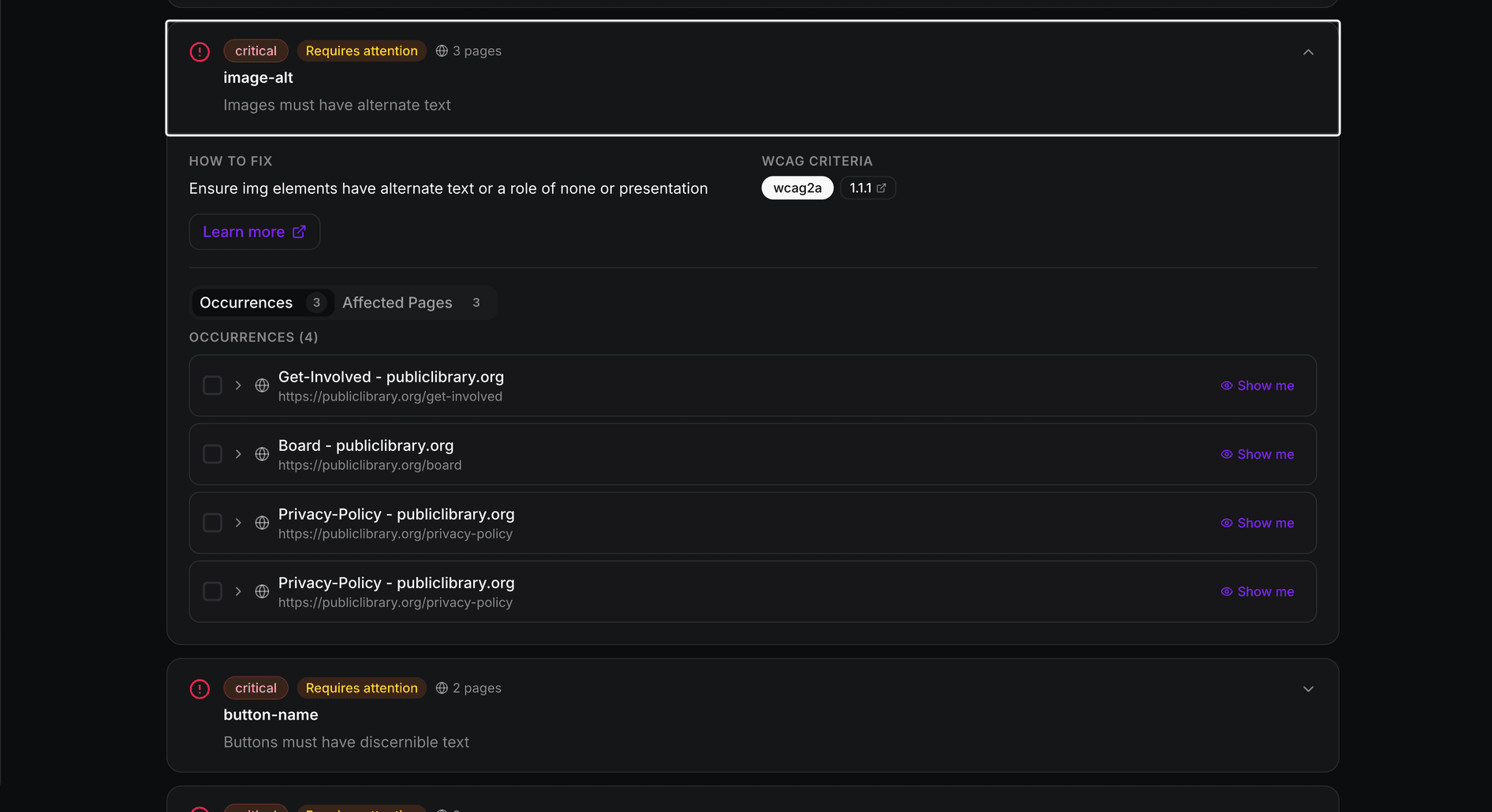
Rules with unresolved issues, ordered by impact and pages affected. A likely-shared-component flag tells the agent when one component fix may clear every page.
Context
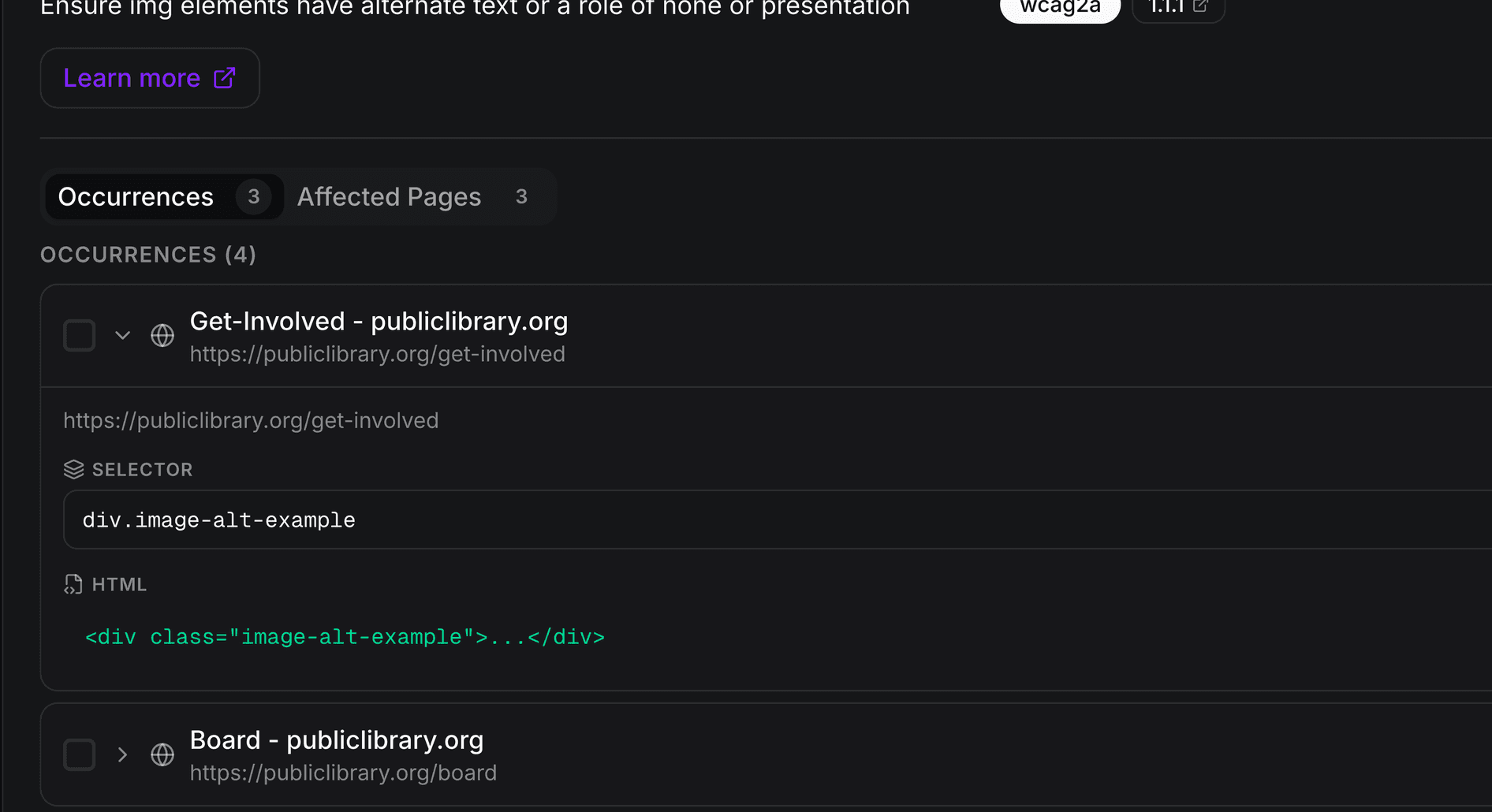
Selector, HTML and screenshot
Each issue comes with its selector, HTML snippet, failed checks, WCAG criteria and fix guidance, plus the highlighted screenshot as an image when one was captured.
Verify
Resolved is a claim. A scan is proof.
The agent marks issues resolved with a note on what it changed. That never moves the score. It can then start a scan and compare the two to see what is really fixed.
Developers
REST API and in-app docs
A Developers area in the app with the API reference, key management and MCP setup. The same data is available over a REST API with a public OpenAPI description.
You stay in control
Read-only unless you say otherwise.
API keys and OAuth connections can read your scans. Starting scans and marking issues resolved are separate permissions you choose when you create the key or approve the connection. Text that comes from your scanned pages is handed to the agent as untrusted content, so it is treated as data, never as instructions.
Find
The agent sees exactly what failed.
The same detail your developers see in the dashboard: the page, the selector and the HTML, so the agent can find the component that renders it.
Fix
Guidance tied to the WCAG criterion.
Every rule carries plain-language guidance on how to fix it and the success criterion it maps to, so the change the agent proposes can be checked against the standard.
Verify
Only a new scan moves the score.
After the fixes ship, a new scan recalculates the score from confirmed failures, and a scan comparison shows what was fixed and whether anything regressed.