Reports
Reports for the executive, the manager and the developer.
Seven views over every site you scan, each built for the person who needs it. Scores count confirmed WCAG failures only, and the developer views go straight to the findings behind each number.
Reports · seven views
- Overview
- Where do we stand, and is it getting better?Executive, compliance
- Sites
- Which sites need attention, and which moved?Manager, agency
- WCAG criteria
- Which success criteria have confirmed failures?Compliance, developer
- Rules
- Which problems are most common, and where?Developer
- Pages
- Which pages have the most problems?Developer
- Remediation
- How much has the team marked addressed?Manager
- Usage & activity
- What ran, and how much of the plan is used?Manager, agency
Context for every finding, and a clear line between what failed and what needs a look.
Buckets
Confirmed, needs review, recommendations
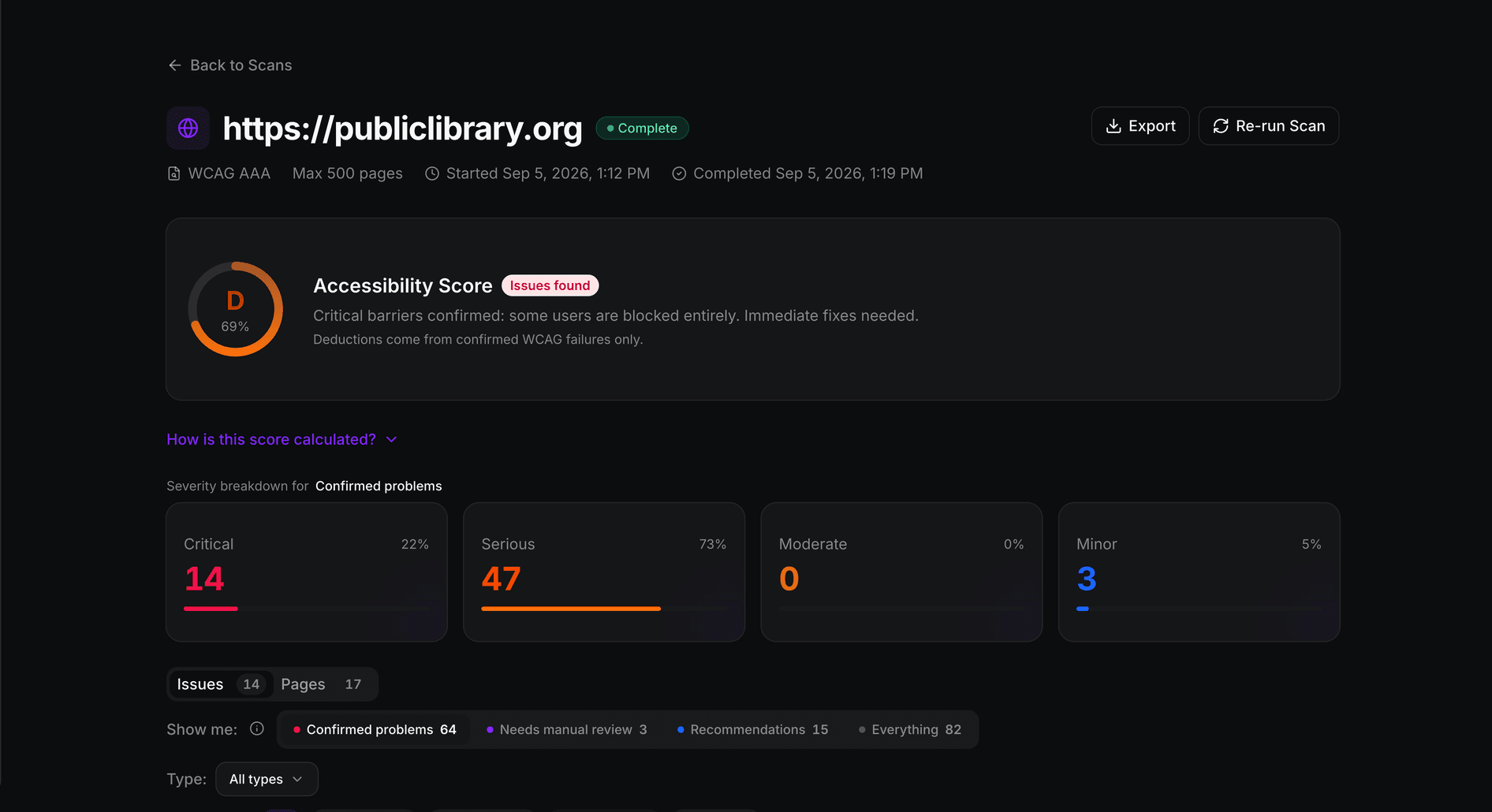
Confirmed problems fail a WCAG success criterion. Needs review means automated testing could not decide and a person should check. Recommendations are best practice. Only the first counts in the score.
Progress
Remediation, honestly labelled
See how many confirmed issues your team has marked addressed. The report says plainly that this is your team’s claim, and only a new scan verifies a fix and updates the score.
Filters
Date range, sites and severity
One filter row across every view, kept in the link, so a colleague on your team opens exactly the view you sent. How far back you can look follows your plan’s scan history.
Exports
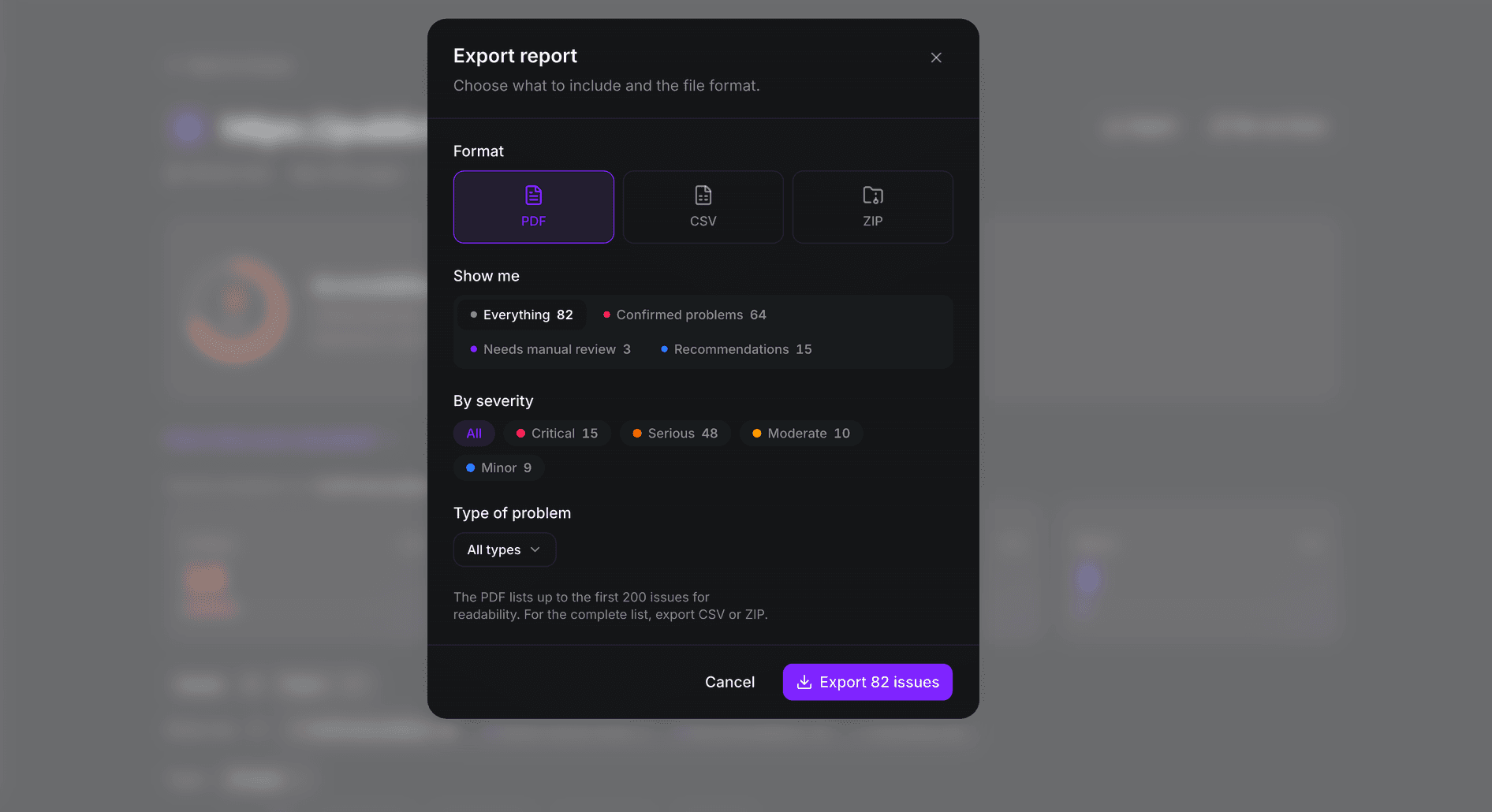
PDF, CSV and Notion
A PDF that puts the summary first, CSVs of every finding or page, CSV from each report view, and a scan report sent to a Notion page or database. Team and Enterprise.
Why it works this way
A compliance lead and a front-end developer need different answers from the same scan.
The compliance lead needs to know where the portfolio stands and whether it is improving. The developer needs the rule, the page and the element. Both read the same stored numbers, so the executive summary and the engineering queue can never disagree.
Score
A score built from confirmed failures.
Every scan explains how its score was calculated. Needs-review items and recommendations are counted and shown, but they never lower the number.
Prioritise
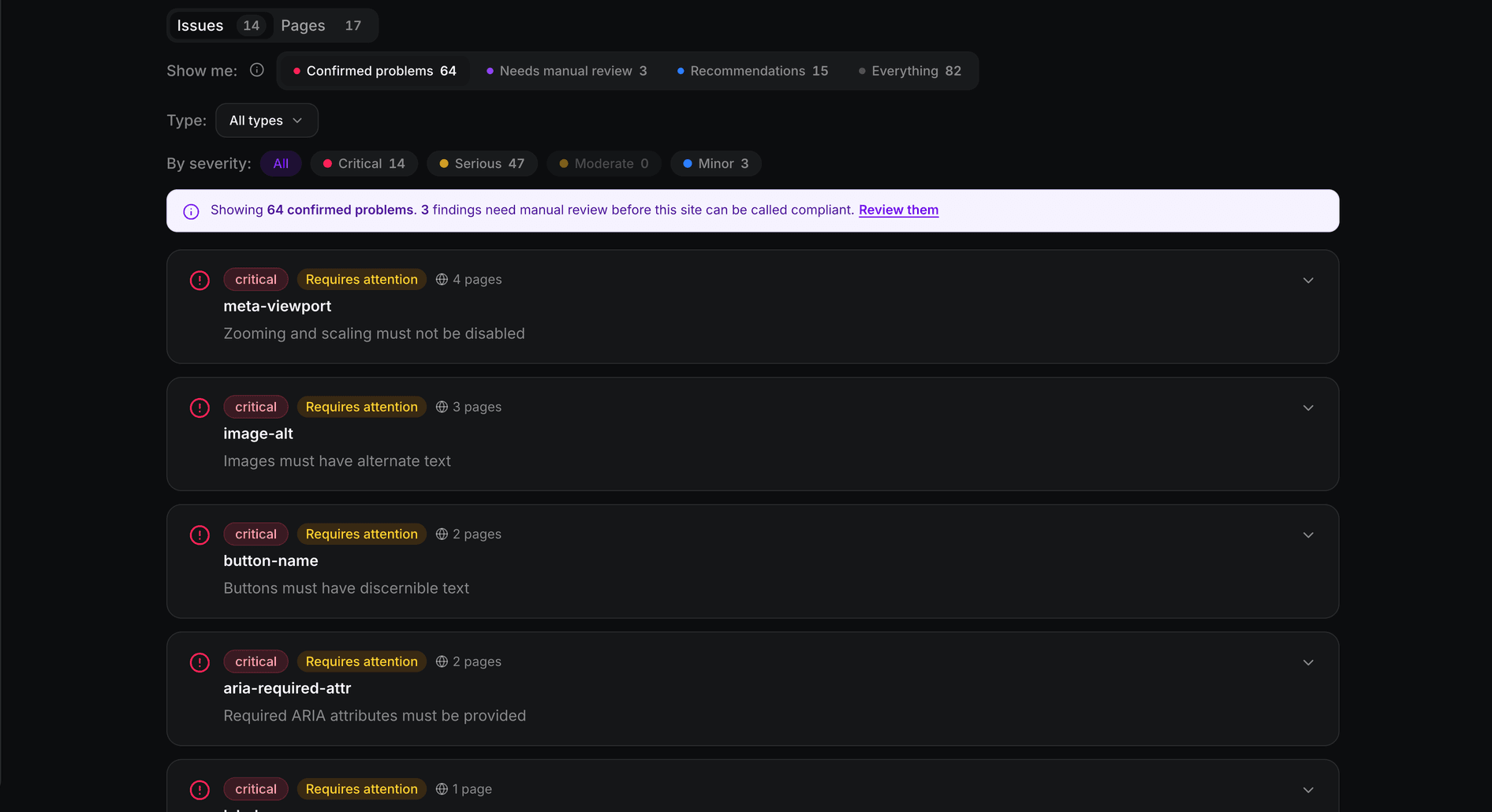
What to fix first, and how many pages it touches.
Findings are grouped by rule with the number of pages affected, so a template problem shows up once instead of a hundred times.
Share
Hand it to a client, a board or a backlog.
Export a PDF for people who read summaries, and a CSV for the team that works through the list. On Team and Enterprise.